
Switching to Lapisoft
If your countertop shop already uses software, changing systems has to make sense in the way the shop actually works. This page is for shops considering Lapisoft as a Moraware alternative and for teams planning a move from another system.
Getting started
How switching works
- Start with a demo. We look at the workflow your shop uses today and show the same work in Lapisoft.
- After the demo, interested shops get a 1-month free trial.
- Lapisoft’s team sets up the system, imports your data and trains your people at no charge. The timing depends on the shop; setup, data import and training can happen during or after the trial.
One system
A Moraware alternative: one system from estimate to payment
Moraware describes its countertop software as three specialized products designed to connect: CounterGo for drawing and quoting, Systemize for scheduling and job management, and Inventory for slab ordering and tracking.
For shops comparing Moraware competitors, looking for a CounterGo alternative or considering a Moraware Systemize alternative, the practical question is where the same kinds of work live in Lapisoft.
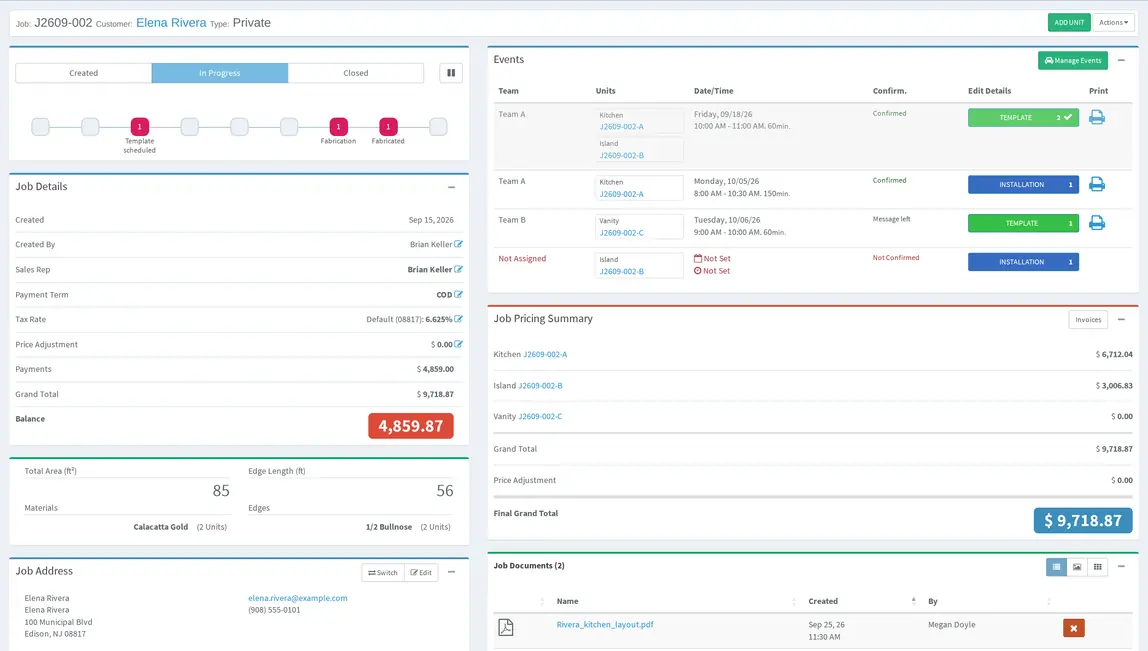
Lapisoft puts estimating, job and unit tracking, field scheduling, slab inventory, fabrication, invoices and payments in one system. A unit is one countertop piece or work area of a job. Work can be tracked per unit, while fabrication is planned by step and worker.
The current Premium Plan has one flat monthly price, all features included and unlimited users.
Where it lives
Where your work lives in Lapisoft
| What the shop does today | Moraware product | The related work in Lapisoft |
|---|---|---|
| Quoting | CounterGo | Estimating and Quoting |
| Scheduling | Systemize | Scheduling |
| Job tracking | Systemize | Job Tracking and Production Tracking |
| Inventory | Moraware Inventory | Slab Inventory |
This table shows where to find each kind of work in Lapisoft. It is not a feature comparison.
Same price
What else is included in the same price
Invoices and payments
Invoices, payments, receipts, statements, unpaid jobs and account balances are included in the same Lapisoft system and price.
QuickBooks Online export
QuickBooks Online export is included in the same price. Create an invoice in Lapisoft and send it to QuickBooks Online with one click.
AI connector
The AI connector is included in the same price. You can connect ChatGPT, Claude or Grok to ask questions about live Lapisoft data. AI access is read-only and follows each user’s Lapisoft permissions.
Good to know
Questions about switching
Do we have to decide from a website comparison?
No. The demo is the place to compare your actual workflow with Lapisoft. Bring the parts of your current system that matter most to your shop.
Who moves our data into Lapisoft?
Lapisoft’s team sets up the system, imports your data and trains your people at no charge. This can happen during or after the trial, depending on the shop.
Is there a contract or minimum term?
No. The current Premium Plan is billed monthly, with no contract and no minimum term. You can cancel anytime.
Can we keep using QuickBooks Online?
Yes. Create the invoice in Lapisoft and send it to QuickBooks Online with one click.
Book a demo
See your current workflow in Lapisoft
Bring your quoting, scheduling, material and production questions to the demo. We will show where that work lives in Lapisoft.
We reply to demo requests within 1 business day. After the demo, interested shops get a 1-month free trial.
Moraware, CounterGo, Systemize and Moraware Inventory are product names of their respective owner. Product descriptions on this page were checked against Moraware’s official website on October 3, 2026.